adBrite

Your Ad Here

music

BidVertiser

Monday, April 25, 2011

Pass parameters to the timer in C#


These days I am using C# to develop the timer component running as a windows service, which runs automatically in a specific interval.

In C#, there are 3 kinds of timer type definitions:

1. System.Windows.Forms.Timer
2. System.Threading.Timer
3. System.Timers.Timer

In my project, I choose to use the third one: System.Timers.Timer
Here is the sample usage of this kind of timer:

System.Timers.Timer timer = new System.Timers.Timer();
timer. Interval = 10000; // set the interval as 10000 ms
timer.Elapsed += new System.Timers.ElapsedEventHandler(this.timer_Elapsed); // set the event to execute
timer.AutoReset = true; // false: only execute once
timer.Enabled = true; // to decide if execute the event of timer specified

…
public void timer_Elapsed(object sender, EventArgs e)
{
…
}

From the above sample, we know it is quite easy to use it.

Next, I have a problem if I need pass some parameters to be used in the timer event defined above: timer_Elapsed(…). The two input parameters of this event interface are fixed, you can’t add more in.

There is a tricky to achieve it. Since we can’t add more input parameters in this event, we can set the parameters into the unused property of that sender object. This way is simple, but not good.

After researching, i find a better way to deal with it: creating a new timer to extend the system timer , and then defining the additional parameters inside this new timer.

Here are the sample codes:

// define a class to extend the timer,
// then define those additional parameters to be used in the event.
// for example: add one more parameter: param1.
namespace XXX
{
public class TaskTimer : Timer{
private string param1;

public string Param1
{
get
{
return param1;
}
set
{
param1= value;
}
}

public TaskTimer() : base()
{
}
}
}

// usage of this timer
using XXX;
…
TaskTimer timer = new TaskTimer();
timer.Interval = 10000;

…

// the event definition
public void timer_Elapsed(object sender, EventArgs e)
{
String param1 = (TaskTimer) sender).Param1;…
}

Saturday, April 23, 2011

What is the difference between TCP and UDP

What is the difference between TCP and UDP

Difference between TCP and UDPThere are two types of internet protocol (IP) traffic, and both have very different uses.
  1. TCP(Transmission Control Protocol). TCP is a connection-oriented protocol, a connection can be made from client to server, and from then on any data can be sent along that connection.
    • Reliable - when you send a message along a TCP socket, you know it will get there unless the connection fails completely. If it gets lost along the way, the server will re-request the lost part. This means complete integrity, things don't get corrupted.
    • Ordered - if you send two messages along a connection, one after the other, you know the first message will get there first. You don't have to worry about data arriving in the wrong order.
    • Heavyweight - when the low level parts of the TCP "stream" arrive in the wrong order, resend requests have to be sent, and all the out of sequence parts have to be put back together, so requires a bit of work to piece together.
  2. UDP(User Datagram Protocol). A simpler message-based connectionless protocol. With UDP you send messages(packets) across the network in chunks.
    • Unreliable - When you send a message, you don't know if it'll get there, it could get lost on the way.
    • Not ordered - If you send two messages out, you don't know what order they'll arrive in.
    • Lightweight - No ordering of messages, no tracking connections, etc. It's just fire and forget! This means it's a lot quicker, and the network card / OS have to do very little work to translate the data back from the packets.

Thursday, April 21, 2011

linked list

Jump to: navigation, search
In computer science, a linked list (or more clearly, "singly-linked list") is a data structure that consists of a sequence of nodes each of which contains a reference (i.e., a link) to the next node in the sequence.
Singly-linked-list.svg
A linked list whose nodes contain two fields: an integer value and a link to the next node
Linked lists are among the simplest and most common data structures. They can be used to implement several other common abstract data structures, including stacks, queues, associative arrays, and symbolic expressions, though it is not uncommon to implement the other data structures directly without using a list as the basis of implementation.
The principal benefit of a linked list over a conventional array is that the list elements can easily be added or removed without reallocation or reorganization of the entire structure because the data items need not be stored contiguously in memory or on disk. Linked lists allow insertion and removal of nodes at any point in the list, and can do so with a constant number of operations if the link previous to the link being added or removed is maintained during list traversal.
On the other hand, simple linked lists by themselves do not allow random access to the data other than the first node's data, or any form of efficient indexing. Thus, many basic operations — such as obtaining the last node of the list (assuming that the last node is not maintained as separate node reference in the list structure), or finding a node that contains a given datum, or locating the place where a new node should be inserted — may require scanning most or all of the list elements.

Thursday, February 3, 2011

To enable ctrl+c ctrl+v ctrl+a ctrl+x on in textbox

        private void DescriptionTextBox_KeyUp(object sender, KeyEventArgs e)
        {
            // To enable ctrl+c ctrl+v ctrl+a ctrl+x on in textbox
            if (e.Control && e.KeyCode == Keys.C)
            {
                DescriptionTextBox.Copy();
            }
            if (e.Control && e.KeyCode == Keys.V)
            {
                DescriptionTextBox.Paste();
            }
            if (e.Control && e.KeyCode == Keys.A)
            {
                DescriptionTextBox.SelectAll();
            }
            if (e.Control && e.KeyCode == Keys.X)
            {
                DescriptionTextBox.Cut();
            }
        }

Wednesday, February 2, 2011

Project 'PROJECTNAME' could not be opened because the Microsoft Visual C# 2008 compiler could not be created. Please re-install Visual Studio.

could not be opened because the Microsoft Visual C# 2008 compiler could not be created
 
 
Posted by Microsoft on 2/23/2009 at 8:55 PM
Thanks for reporting this issue. In your message, you've wrote by "running "devenv /ResetSkipPages"

Please run the following command "devenv /resetskippkgs" in Start->Run(note: not ResetSkipPages)

If this issue persists, It may help if you provide us with:
a setup log file

You can get the log files with the following steps:
1) Download collect.exe from the link below. http://blogs.msdn.com/heaths/attachment/8483493.ashx
2) You may choose to save the tool for later use, or to run directly.
3) The utility creates a compressed cabinet of all the VS and .NET logs to %TEMP%\vslogs.cab.

You can get more details about how to get the log files here:
http://blogs.msdn.com/heaths/archive/2008/05/09/visual-studio-and-net-log-collection-utility.aspx

Thanks again for your efforts and we look forward to hearing from you.
Visual Studio Product Team

Friday, December 17, 2010

C# Split String

=== Example program for splitting on spaces (C#) ===

using System;

class Program
{
    static void Main()
    {
        string s = "there is a cat";
        //
        // Split string on spaces.
        // ... This will separate all the words.
        //
        string[] words = s.Split(' ');
        foreach (string word in words)
        {
            Console.WriteLine(word);
        }
    }
}

=== Output of the program ===

there
is
a
cat

Wednesday, December 15, 2010

The Click Event for Buttons

The Click Event for Buttons

The click event gets activated when a button is clicked on. Examine the default code for a button:
private void button1_Click(object sender, EventArgs e)
{
}
In between the round brackets, we have this:
object sender, EventArgs e
The object keyword refers to the object which activated the event, a button in this case. This is being placed in a variable called sender. You can test this for yourself.
Start a new project. Add a button to your new form and double click it. Place the following code between the curly brackets:
MessageBox.Show( sender.ToString() );
We're just using the ToString method on the sender variable. Run your programme and click the button. You should see this:

C# Message Box for the Sender Object
The Message is displaying which object was the sender of the event, as well as displaying the Text property of the sender: the button with the Text "button1".
The other argument in between the round brackets was this:
EventArgs e
EventArgs is a class. It's short for event arguments, and tells you which events was raised. The letter "e" sets up a variable to use this class. If you change your line of code to this:
MessageBox.Show( e.ToString() );
the message box will then display the following:

C# Delegate

        // This "DoMath" delegate can point to ANY method that:
        //   - Returns an int
        //   - Accepts two ints as parameters
        public delegate int DoMath(int x, int y);

      
        private void button1_Click(object sender, EventArgs e)
        {
            int result;

            DoMath a = new DoMath(Add);
            result = a(3, 4);
            MessageBox.Show(Convert.ToString(result));

            UseDelegate(a);
        }


        public void UseDelegate(DoMath x)
        {
            int r = x(6, 6);
            MessageBox.Show(Convert.ToString(r));

        }

       
        //This method can be pointed to by the DoMath delegate
        public int Add(int x, int y)
        {
            return x+y;
        }

        //This method can be pointed to by the DoMath delegate
        public int Subtract(int x, int y)
        {
            return x - y;
        }

        //This method can NOT be pointed to by the DoMath delegate
        //because it has a different signature (only one argument)
        public string Test(string y)
        {
            return "Test method";
        }
    }

Monday, December 6, 2010

Loop through the content of an array

            //create the array
            int[] ml = new int[7]; //{ 5, 3, 7, 9, 2, 6, 8, };
           
            //loop through the content of the ml array
            string x = "";

            for (int i = 0; i < ml.Length; i++)
            {
                x += Convert.ToInt32(ml[i]) + " ";
            }

            MessageBox.Show(x);

Wednesday, December 1, 2010

VTC Video Training Collection

http://www.megaupload.com/?d=Z937D566 VTC.ACT.By.Sage.2006.Bill.Ferguson.LiBiSO.part06.rar VTC.ACT.By.Sage.2006.Bill.Ferguson.LiBiSO.part06.rar 3.61 MB 0 
http://www.megaupload.com/?d=SEMPCCY7 VTC.ACT.By.Sage.2006.Bill.Ferguson.LiBiSO.part03.rar VTC.ACT.By.Sage.2006.Bill.Ferguson.LiBiSO.part03.rar 95.78 MB 0 
http://www.megaupload.com/?d=4Z04QKQ9 VTC.ACT.By.Sage.2006.Bill.Ferguson.LiBiSO.part04.rar VTC.ACT.By.Sage.2006.Bill.Ferguson.LiBiSO.part04.rar 95.78 MB 0 
http://www.megaupload.com/?d=FH98CX06 VTC.Adobe.After.Effect7.Rock.Solid.Foundation.Team.AG.part6.rar VTC.Adobe.After.Effect7.Rock.Solid.Foundation.Team.AG.part6.rar 15.61 MB 0 
http://www.megaupload.com/?d=CH0OPQK6 VTC.ACT.By.Sage.2006.Bill.Ferguson.LiBiSO.part02.rar VTC.ACT.By.Sage.2006.Bill.Ferguson.LiBiSO.part02.rar 95.78 MB 0 
http://www.megaupload.com/?d=FSQ3WJA9 VTC.ACT.By.Sage.2006.Bill.Ferguson.LiBiSO.part01.rar VTC.ACT.By.Sage.2006.Bill.Ferguson.LiBiSO.part01.rar 95.78 MB 0 
http://www.megaupload.com/?d=WEQ2A474 VTC.Adobe.After.Effect7.Rock.Solid.Foundation.Team.AG.part3.rar VTC.Adobe.After.Effect7.Rock.Solid.Foundation.Team.AG.part3.rar 95.78 MB 0 
http://www.megaupload.com/?d=2DGRM8ZP VTC.CompTIA.A.Plus.Certification.2003.part2.rar VTC.CompTIA.A.Plus.Certification.2003.part2.rar 67.33 MB 0 
http://www.megaupload.com/?d=4QLUSZ7U VTC.ACT.By.Sage.2006.Bill.Ferguson.LiBiSO.part05.rar VTC.ACT.By.Sage.2006.Bill.Ferguson.LiBiSO.part05.rar 95.78 MB 0 
http://www.megaupload.com/?d=U53POBGY VTC.intro.to.Ubuntu.part3.rar VTC.intro.to.Ubuntu.part3.rar 37.14 MB 0 
http://www.megaupload.com/?d=QN3CNWXV VTC.Javascript.2007.by.CFE.part4.rar VTC.Javascript.2007.by.CFE.part4.rar 15.96 MB 0 
http://www.megaupload.com/?d=1URPYFG1 VTC.CompTIA.Network.Plus.Certification.2005.Exam.Objectives.part1.rar VTC.CompTIA.Network.Plus.Certification.2005.Exam.Objectives.part1.rar 95.78 MB 0 
http://www.megaupload.com/?d=MBV6YCLH VTC.Adobe.After.Effect7.Rock.Solid.Foundation.Team.AG.part1.rar VTC.Adobe.After.Effect7.Rock.Solid.Foundation.Team.AG.part1.rar 95.78 MB 0 
http://www.megaupload.com/?d=XWE7D5TX VTC.Java.2.Certified.Programmer.part1.rar VTC.Java.2.Certified.Programmer.part1.rar 95.78 MB 0 
http://www.megaupload.com/?d=9R7FZRVE VTC.MCSE.2003.Complete.Set.70_270.290.291.293.294.297.298.part04.rar VTC.MCSE.2003.Complete.Set.70_270.290.291.293.294.297.298.part04.rar 95.78 MB 0 
http://www.megaupload.com/?d=OI3PA7I2 VTC.CompTIA.Network.Plus.Certification.2005.Exam.Objectives.part3.rar VTC.CompTIA.Network.Plus.Certification.2005.Exam.Objectives.part3.rar 63.65 MB 0 
http://www.megaupload.com/?d=78057E9A VTC.MCSE.2003.Complete.Set.70_270.290.291.293.294.297.298.part02.rar VTC.MCSE.2003.Complete.Set.70_270.290.291.293.294.297.298.part02.rar 95.78 MB 0 
http://www.megaupload.com/?d=PY40Z81A VTC.intro.to.Visual.Basic.NET.rar VTC.intro.to.Visual.Basic.NET.rar 86.42 MB 0 
http://www.megaupload.com/?d=RG0DGYGQ VTC.Java.2.Certified.Programmer.part2.rar VTC.Java.2.Certified.Programmer.part2.rar 39.95 MB 0 
http://www.megaupload.com/?d=F491P6EP VTC.intro.to.PHP.part2.rar VTC.intro.to.PHP.part2.rar 70.5 MB 0 
http://www.megaupload.com/?d=PE9N8RI5 VTC.Javascript.2007.by.CFE.part1.rar VTC.Javascript.2007.by.CFE.part1.rar 95.78 MB 0 
http://www.megaupload.com/?d=RF59VLWM VTC.Adobe.After.Effect7.Rock.Solid.Foundation.Team.AG.part4.rar VTC.Adobe.After.Effect7.Rock.Solid.Foundation.Team.AG.part4.rar 95.78 MB 0 
http://www.megaupload.com/?d=4E44PXLF VTC.Javascript.2007.by.CFE.part2.rar VTC.Javascript.2007.by.CFE.part2.rar 95.78 MB 0 
http://www.megaupload.com/?d=0AKNERBH VTC.Adobe.After.Effect7.Rock.Solid.Foundation.Team.AG.part5.rar VTC.Adobe.After.Effect7.Rock.Solid.Foundation.Team.AG.part5.rar 95.78 MB 0 
http://www.megaupload.com/?d=7V8N6XIS VTC.Javascript.2007.by.CFE.part3.rar VTC.Javascript.2007.by.CFE.part3.rar 95.78 MB 0 
http://www.megaupload.com/?d=0U6W6LH9 VTC.Maya.Fundamentals.part2.rar VTC.Maya.Fundamentals.part2.rar 35.17 MB 0 
http://www.megaupload.com/?d=2C3PICJ8 VTC.CompTIA.A.Plus.Certification.2003.part1.rar VTC.CompTIA.A.Plus.Certification.2003.part1.rar 95.78 MB 0 
http://www.megaupload.com/?d=2J2GGTJI VTC.CompTIA.Network.Plus.Certification.2005.Exam.Objectives.part2.rar VTC.CompTIA.Network.Plus.Certification.2005.Exam.Objectives.part2.rar 95.78 MB 0 
http://www.megaupload.com/?d=12H0UTH0 VTC.MCSE.2003.Complete.Set.70_270.290.291.293.294.297.298.part05.rar VTC.MCSE.2003.Complete.Set.70_270.290.291.293.294.297.298.part05.rar 95.78 MB 0 
http://www.megaupload.com/?d=AJN3TRO0 VTC.Adobe.After.Effect7.Rock.Solid.Foundation.Team.AG.part2.rar VTC.Adobe.After.Effect7.Rock.Solid.Foundation.Team.AG.part2.rar 95.78 MB 0 
http://www.megaupload.com/?d=O87X6WOG VTC.intro.to.TCP.IP.rar VTC.intro.to.TCP.IP.rar 27.49 MB 0 
http://www.megaupload.com/?d=5KWH7KFB VTC.Maya.Fundamentals.part1.rar VTC.Maya.Fundamentals.part1.rar 95.78 MB 0 
http://www.megaupload.com/?d=9RADRAV0 VTC.MCSE.2003.Complete.Set.70_270.290.291.293.294.297.298.part07.rar VTC.MCSE.2003.Complete.Set.70_270.290.291.293.294.297.298.part07.rar 95.78 MB 0 
http://www.megaupload.com/?d=ATFDIX9F VTC.intro.to.Windows.Vista.part2.rar VTC.intro.to.Windows.Vista.part2.rar 69.69 MB 0 
http://www.megaupload.com/?d=9D8X58D6 VTC.MCSE.2003.Complete.Set.70_270.290.291.293.294.297.298.part01.rar VTC.MCSE.2003.Complete.Set.70_270.290.291.293.294.297.298.part01.rar 95.78 MB 0 
http://www.megaupload.com/?d=PMC7R283 VTC.intro.to.Windows.Vista.part1.rar VTC.intro.to.Windows.Vista.part1.rar 95.78 MB 0 
http://www.megaupload.com/?d=ODJD5OZM VTC.MCSE.2003.Complete.Set.70_270.290.291.293.294.297.298.part08.rar VTC.MCSE.2003.Complete.Set.70_270.290.291.293.294.297.298.part08.rar 95.78 MB 0 
http://www.megaupload.com/?d=SL6497A5 VTC.intro.to.Ubuntu.part1.rar VTC.intro.to.Ubuntu.part1.rar 95.78 MB 0 
http://www.megaupload.com/?d=YOMPLINN VTC.intro.to.Ubuntu.part2.rar VTC.intro.to.Ubuntu.part2.rar 95.78 MB 0 
http://www.megaupload.com/?d=DHGVDMI2 VTC.MCSE.2003.Complete.Set.70_270.290.291.293.294.297.298.part14.rar VTC.MCSE.2003.Complete.Set.70_270.290.291.293.294.297.298.part14.rar 95.78 MB 0 
http://www.megaupload.com/?d=8AAEWI1H VTC.MCSE.2003.Complete.Set.70_270.290.291.293.294.297.298.part06.rar VTC.MCSE.2003.Complete.Set.70_270.290.291.293.294.297.298.part06.rar 95.78 MB 0 
http://www.megaupload.com/?d=WM5I0EEY VTC.Photoshop.Artistry.part7.rar VTC.Photoshop.Artistry.part7.rar 13.72 MB 0 
http://www.megaupload.com/?d=HUMN89Z1 VTC.Photoshop.Artistry.part2.rar VTC.Photoshop.Artistry.part2.rar 95.78 MB 0 
http://www.megaupload.com/?d=FCP4ON72 VTC.MCSE.2003.Complete.Set.70_270.290.291.293.294.297.298.part11.rar VTC.MCSE.2003.Complete.Set.70_270.290.291.293.294.297.298.part11.rar 95.78 MB 0 
http://www.megaupload.com/?d=RHCCRSWF VTC.PHP.Project.Solutions.part2.rar VTC.PHP.Project.Solutions.part2.rar 11.5 MB 0 
http://www.megaupload.com/?d=D5CF217S VTC.Photoshop.Artistry.part4.rar VTC.Photoshop.Artistry.part4.rar 95.78 MB 0 
http://www.megaupload.com/?d=DSN0YPRM VTC.Photoshop.Artistry.part6.rar VTC.Photoshop.Artistry.part6.rar 95.78 MB 0 
http://www.megaupload.com/?d=7XYRLFHI VTC.intro.to.PHP.part1.rar VTC.intro.to.PHP.part1.rar 95.78 MB 0 
http://www.megaupload.com/?d=S3M501L2 VTC.Photoshop.Image.Restoration.part2.rar VTC.Photoshop.Image.Restoration.part2.rar 39.98 MB 0 
http://www.megaupload.com/?d=DZSU0C48 VTC.Photoshop.Artistry.part1.rar VTC.Photoshop.Artistry.part1.rar 95.78 MB 0 
http://www.megaupload.com/?d=TJ4W1CU3 VTC.Photoshop.Artistry.part3.rar VTC.Photoshop.Artistry.part3.rar 95.78 MB 0 
http://www.megaupload.com/?d=F1EH737X VTC.QuickStart.Adobe.Flash.CS3.rar VTC.QuickStart.Adobe.Flash.CS3.rar 56.02 MB 0 
http://www.megaupload.com/?d=PE8Q04XG VTC.MCSE.2003.Complete.Set.70_270.290.291.293.294.297.298.part13.rar VTC.MCSE.2003.Complete.Set.70_270.290.291.293.294.297.298.part13.rar 95.78 MB 0 
http://www.megaupload.com/?d=44IZD0WI VTC.Photoshop.Artistry.part5.rar VTC.Photoshop.Artistry.part5.rar 95.78 MB 0 
http://www.megaupload.com/?d=SL89N6CN VTC.Photoshop.Image.Restoration.part1.rar VTC.Photoshop.Image.Restoration.part1.rar 95.78 MB 0 
http://www.megaupload.com/?d=1ZODUS8J VTC.Intro.to.M_.NET.Framework.rar VTC.Intro.to.M_.NET.Framework.rar 74.85 MB 0 
http://www.megaupload.com/?d=E86IDC5F VTC.QuickStart.Adobe.Dreamweaver.CS3.rar VTC.QuickStart.Adobe.Dreamweaver.CS3.rar 89.54 MB 0 
http://www.megaupload.com/?d=1HT6KWYC VTC.MCSE.2003.Complete.Set.70_270.290.291.293.294.297.298.part10.rar VTC.MCSE.2003.Complete.Set.70_270.290.291.293.294.297.298.part10.rar 95.78 MB 0 
http://www.megaupload.com/?d=5JJPX5LL VTC.SQL.Server.2005.Admin.part1.rar VTC.SQL.Server.2005.Admin.part1.rar 95.78 MB 0 
http://www.megaupload.com/?d=2G97Q23V VTC_PhotoshopCS3_CFE_ViH.part5.rar VTC_PhotoshopCS3_CFE_ViH.part5.rar 95.78 MB 0 
http://www.megaupload.com/?d=SRH862IG VTC.ACT.By.Sage.2006.Bill.Ferguson.LiBiSO.part06.rar VTC.ACT.By.Sage.2006.Bill.Ferguson.LiBiSO.part06.rar 3.61 MB 0 
http://www.megaupload.com/?d=S6AHWOL5 VTC.MCSE.2003.Complete.Set.70_270.290.291.293.294.297.298.part09.rar VTC.MCSE.2003.Complete.Set.70_270.290.291.293.294.297.298.part09.rar 95.78 MB 0 
http://www.megaupload.com/?d=NET44QWO VTC.QuickStart.Adobe.Photoshop.CS3.rar VTC.QuickStart.Adobe.Photoshop.CS3.rar 50.74 MB 0 
http://www.megaupload.com/?d=Q1D10B39 VTC.Real.World.PHP.Programming.Basics.part2.rar VTC.Real.World.PHP.Programming.Basics.part2.rar 95.78 MB 0 
http://www.megaupload.com/?d=Z2PFKXQD VTC.ACT.By.Sage.2006.Bill.Ferguson.LiBiSO.part01.rar VTC.ACT.By.Sage.2006.Bill.Ferguson.LiBiSO.part01.rar 95.78 MB 0 
http://www.megaupload.com/?d=D0C30TJL VTC.ACT.By.Sage.2006.Bill.Ferguson.LiBiSO.part02.rar VTC.ACT.By.Sage.2006.Bill.Ferguson.LiBiSO.part02.rar 95.78 MB 0 
http://www.megaupload.com/?d=D9NLDHVF VTC.ACT.By.Sage.2006.Bill.Ferguson.LiBiSO.part05.rar VTC.ACT.By.Sage.2006.Bill.Ferguson.LiBiSO.part05.rar 95.78 MB 0 
http://www.megaupload.com/?d=JBKI43GB VTC.QuickStart.Adobe.Illustrator.CS3.rar VTC.QuickStart.Adobe.Illustrator.CS3.rar 49.6 MB 0 
http://www.megaupload.com/?d=KX0HUAD1 VTC.MCSE.2003.Complete.Set.70_270.290.291.293.294.297.298.part03.rar VTC.MCSE.2003.Complete.Set.70_270.290.291.293.294.297.298.part03.rar 95.78 MB 0 
http://www.megaupload.com/?d=H8XP77RD VTC.MCSE.2003.Complete.Set.70_270.290.291.293.294.297.298.part15.rar VTC.MCSE.2003.Complete.Set.70_270.290.291.293.294.297.298.part15.rar 88.92 MB 0 
http://www.megaupload.com/?d=8AGZG0Q3 VTC.Real.World.PHP.Programming.Basics.part3.rar VTC.Real.World.PHP.Programming.Basics.part3.rar 95.78 MB 0 
http://www.megaupload.com/?d=VFYJ5X69 VTC.PHP.Project.Solutions.part1.rar VTC.PHP.Project.Solutions.part1.rar 95.78 MB 0 
http://www.megaupload.com/?d=LLOKM7T6 VTC.Adobe.After.Effect7.Rock.Solid.Foundation.Team.AG.part5.rar VTC.Adobe.After.Effect7.Rock.Solid.Foundation.Team.AG.part5.rar 95.78 MB 0 
http://www.megaupload.com/?d=O1RDUA61 VTC.VBA.for.Excel.part1.rar VTC.VBA.for.Excel.part1.rar 95.78 MB 0 
http://www.megaupload.com/?d=SJHWB0LU VTC.Adobe.After.Effect7.Rock.Solid.Foundation.Team.AG.part1.rar VTC.Adobe.After.Effect7.Rock.Solid.Foundation.Team.AG.part1.rar 95.78 MB 0 
http://www.megaupload.com/?d=0T2U2WQ9 VTC.Adobe.After.Effect7.Rock.Solid.Foundation.Team.AG.part4.rar VTC.Adobe.After.Effect7.Rock.Solid.Foundation.Team.AG.part4.rar 95.78 MB 0 
http://www.megaupload.com/?d=X7YNL98K VTC_PhotoshopCS3_CFE_ViH.part4.rar VTC_PhotoshopCS3_CFE_ViH.part4.rar 95.78 MB 0 
http://www.megaupload.com/?d=5YJR1EK7 VTC.MCSE.2003.Complete.Set.70_270.290.291.293.294.297.298.part12.rar VTC.MCSE.2003.Complete.Set.70_270.290.291.293.294.297.298.part12.rar 95.78 MB 0

Sunday, November 28, 2010

How to embed and access resources by using Visual C#

Step-by-Step Demonstration

To add embedded resources to your project, you must first add the files as part of your project. After you have added the files to your project, you can access and display the resources through the System.Reflection namespace.

Add Embedded Resources

To add a text file and an image file to your project as embedded resources, follow these steps:
  1. Create a new Windows Application project for this demonstration. This form is used to display the resources that are accessed from the executing assembly during run time.
  2. Right-click your project name, click Add, and then click Add New Item.
  3. In the New Item dialog box, select Text File from the menu, and name the file MyTextFile.txt. When the file opens in the integrated development environment (IDE), add some text, and then close the file.
  4. Repeat steps 1 and 2 to add a bitmap image to your project, but instead of selecting Text File as the new item type, select Bitmap File, and then change the file name to MyImage.bmp. When the new image is opened in the IDE, draw something on the image, and then close the file.
  5. Right-click either the text file or the bitmap, and then select Properties.
  6. In the Properties dialog box, locate the Build Action property. By default, this property is set to Content. Click the property and change the Build Action property to Embedded Resource.
  7. Repeat steps 4 and 5 for the other file.
The next time you build the project, the compiler adds these files to your assembly. The compiler adds the root namespace of the project to the name of the resource when it is included in the project. For example, if the root namespace of your project is MyNamespace, the resources are named MyNamespace.MyTextFile.txt and MyNamespace.MyImage.bmp.
NOTE: The resource file names are case-sensitive. When you access the resources, you must use the exact spelling and case of the file name. If you do not use the exact spelling and case of the file name, the method call to access the ManifestResourceStream returns Nothing, and the system does not raise an exception.
NOTE: If you want to verify the resource names, you can use the Microsoft Intermediate Language Disassembler (ILDASM) to view the Manifest data, which lists the included resources.

Access Resources

To access the resources that you have embedded in the Manifest of your assembly, import the System.IO and the System.Reflection namespaces, as follows:
   using System.IO;
   using System.Reflection;
    
The System.IO namespace provides the definition of a stream and the System.Reflection namespace defines the Assembly class that provides methods to access the resources that are embedded in your assembly.

When you declare the following in the general declaration area, the resources from the assembly are read when the form is loaded:
   Assembly _assembly;
   Stream _imageStream;
   StreamReader _textStreamReader;
    
NOTE: To access the Load event for the form in the Code Editor, double-click the form in the Design Editor.

To read the resource from the assembly that is executing the current code, you must obtain an instance of that assembly. To do this, use the
GetExecutingAssembly method of the assembly, as follows:
   _assembly = Assembly.GetExecutingAssembly();
    
Reading the information from the resource to a stream is performed with a method call to GetManifestResourceStream. The parameter that is passed to this method is the name of the resource that is to be accessed. The two resources are then read to their corresponding streams as the Load event of the form is executed.
   _imageStream = _assembly.GetManifestResourceStream("MyNameSpace.MyImage.bmp");
   _textStreamReader = new StreamReader(_assembly.GetManifestResourceStream("MyNameSpace.MyTextFile.txt"));
    
The code in the Load event for the form resembles the following:
   try
   {
      _assembly = Assembly.GetExecutingAssembly();
      _imageStream = _assembly.GetManifestResourceStream("MyNamespace.MyImage.bmp");
      _textStreamReader = new StreamReader(_assembly.GetManifestResourceStream("MyNamespace.MyTextFile.txt"));
   }
   catch
   {
      MessageBox.Show("Error accessing resources!");
   }
    
The Try-Catch statement, known as structured error handling in .NET, is used to catch any errors that may have occurred while the instance of the Assembly class accesses the resources.

Display Resources

This example uses two buttons to display the embedded resources. When you click the first button, a bitmap image that is based on the resource that is read from the assembly is created and displayed in the PictureBox

To display the embedded resources, follow these steps:
control of the form. The second button reads from a text resource and displays the text in a text box.
  1. Add a PictureBox control to the form.
  2. Add a new Button control to the form, and then change its Text property to Show Image.
  3. Double-click the button to open its Click event in the code viewer, and then paste the following code in this event:
       try
       {
          pictureBox1.Image = new Bitmap(_imageStream);          }
       catch 
       {
          MessageBox.Show("Error creating image!");
       }
         
    This code generates a new instance of a bitmap that is based on the resource stream that was read in the Load event of the form.
  4. Add a TextBox control to the form.
  5. Add another Button control to the form, and then change its Text property to Get Text.
  6. Double-click the button in the Design Editor to open the Click_Event for the button, and then paste the following code in the event:
       try
       {
          if(_textStreamReader.Peek() != -1)
          {
             textBox1.Text = _textStreamReader.ReadLine();
          }
       }
       catch
       {
          MessageBox.Show("Error writing text!");
       }
         
    This code determines whether characters to be read still exist in the stream. If characters are found, a line is read to the text box.
  7. Press F5 to run the application.

Sunday, November 14, 2010

Screen Capture and Save as an Image

/* Author: Perry Lee
* Submission: Capture Screen (Add Screenshot Capability to Programs)
* Date of Submission: 12/29/03
*/

using System;
using System.Drawing;
using System.Drawing.Imaging;
using System.Runtime.InteropServices;
// If you have any questions regarding functions (methods) imported from
// GDI32.dll and User32.dll refer to 'msdn.microsoft.com'
class GDI32
{
[DllImport("GDI32.dll")]
public static extern bool BitBlt(int hdcDest,int nXDest,int nYDest,int nWidth,int nHeight,int hdcSrc,int nXSrc,int nYSrc,int dwRop);
[DllImport("GDI32.dll")]
public static extern int CreateCompatibleBitmap(int hdc,int nWidth, int nHeight);[DllImport("GDI32.dll")]
public static extern int CreateCompatibleDC(int hdc);
[DllImport("GDI32.dll")]
public static extern bool DeleteDC(int hdc);
[DllImport("GDI32.dll")]
public static extern bool DeleteObject(int hObject);
[DllImport("GDI32.dll")]
public static extern int GetDeviceCaps(int hdc,int nIndex);
[DllImport("GDI32.dll")]
public static extern int SelectObject(int hdc,int hgdiobj);
class User32
{
[DllImport("User32.dll")]
public static extern int GetDesktopWindow();
[DllImport("User32.dll")]
public static extern int GetWindowDC(int hWnd);
[DllImport("User32.dll")]
public static extern int ReleaseDC(int hWnd,int hDC);
}
class Example
{
public void CaptureScreen(string fileName,ImageFormat imageFormat)
{
int hdcSrc = User32.GetWindowDC(User32.GetDesktopWindow()),
hdcDest = GDI32.CreateCompatibleDC(hdcSrc),
hBitmap = GDI32.CreateCompatibleBitmap(hdcSrc,
GDI32.GetDeviceCaps(hdcSrc,8),GDI32.GetDeviceCaps(hdcSrc,10)); GDI32.SelectObject(hdcDest,hBitmap);
GDI32.BitBlt(hdcDest,0,0,GDI32.GetDeviceCaps(hdcSrc,8),
GDI32.GetDeviceCaps(hdcSrc,10),hdcSrc,0,0,0x00CC0020);
SaveImageAs(hBitmap,fileName,imageFormat);
Cleanup(hBitmap,hdcSrc,hdcDest);
}
private void Cleanup(int hBitmap,int hdcSrc,int hdcDest)
{
User32.ReleaseDC(User32.GetDesktopWindow(),hdcSrc);
GDI32.DeleteDC(hdcDest);
GDI32.DeleteObject(hBitmap);
}
private void SaveImageAs(int hBitmap,string fileName,ImageFormat imageFormat)
{
Bitmap image =
new Bitmap(Image.FromHbitmap(new IntPtr(hBitmap)),
Image.FromHbitmap(new IntPtr(hBitmap)).Width,
Image.FromHbitmap(new IntPtr(hBitmap)).Height);
image.Save(fileName,imageFormat);
}
}

Explanation of methods:
public void CaptureScreen(string fileName,ImageFormat imageFormat)
{
int hdcSrc = User32.GetWindowDC(User32.GetDesktopWindow()), // Get a handle to the desktop windowhdcDest = GDI32.CreateCompatibleDC(hdcSrc), // Create a memory device contexthBitmap = GDI32.CreateCompatibleBitmap(hdcSrc, // Create a bitmap and place it in the memory DC GDI32.GetDeviceCaps(hdcSrc,8),GDI32.GetDeviceCaps(hdcSrc,10));
// GDI32.GetDeviceCaps(hdcSrc,8) returns the width of the desktop window// GDI32.GetDeviceCaps(hdcSrc,10) returns the height of the desktop windowGDI32.SelectObject(hdcDest,hBitmap); // Required to create a color bitmapGDI32.BitBlt(hdcDest,0,0,GDI32.GetDeviceCaps(hdcSrc,8), // Copy the on-screen image into the memory DCGDI32.GetDeviceCaps(hdcSrc,10),hdcSrc,0,0,0x00CC0020);
SaveImageAs(hBitmap,fileName,imageFormat); // Save the screen-capture to the specified file using the designated image formatCleanup(hBitmap,hdcSrc,hdcDest); // Free system resources}
private void Cleanup(int hBitmap,int hdcSrc,int hdcDest)
{
// Release the device context resources back to the systemUser32.ReleaseDC(User32.GetDesktopWindow(),hdcSrc);
GDI32.DeleteDC(hdcDest);
GDI32.DeleteObject(hBitmap);
}
private void SaveImageAs(int hBitmap,string fileName,ImageFormat imageFormat)
{
// Create a bitmap from the Windows handleBitmap image = new Bitmap(Image.FromHbitmap(new IntPtr(hBitmap)),
Image.FromHbitmap(new IntPtr(hBitmap)).Width,
Image.FromHbitmap(new IntPtr(hBitmap)).Height);
image.Save(fileName,imageFormat);
}

Thursday, November 11, 2010

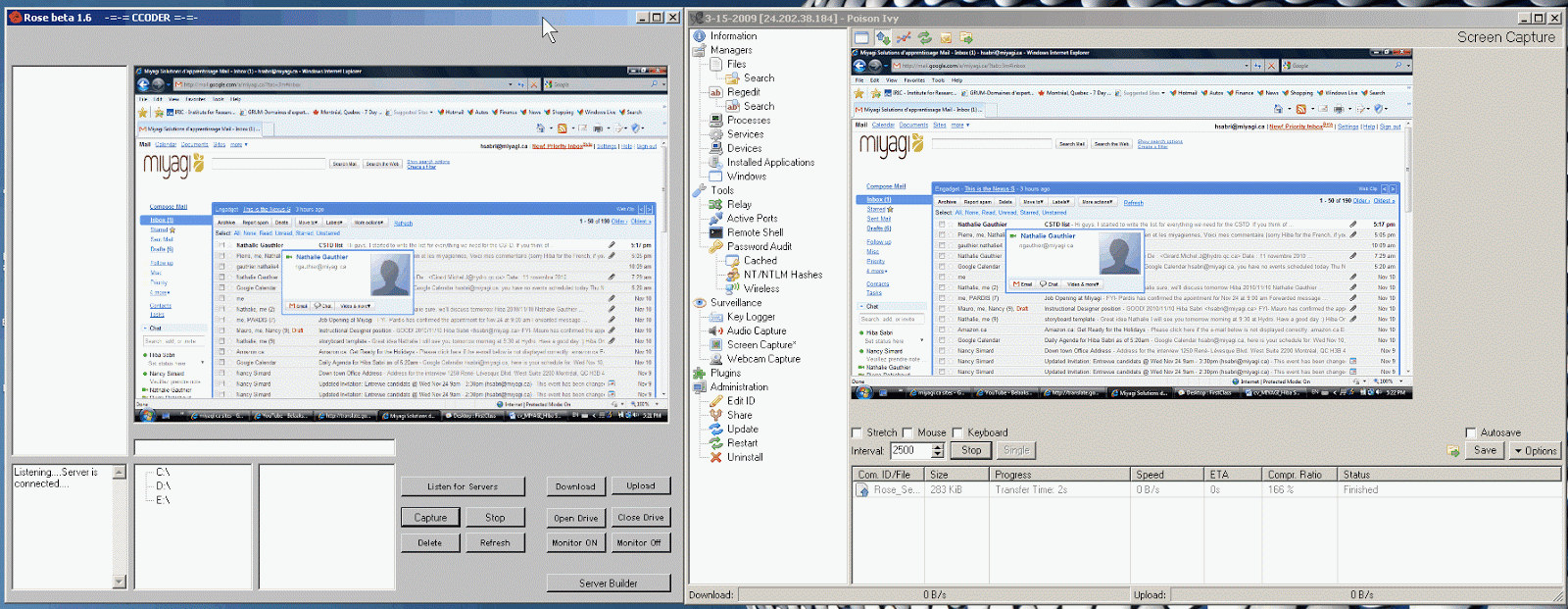
Rose 1.6 Beta vs Poison Ivy

Rose 1.6 Beta vs Poison Ivy

Tuesday, November 9, 2010

Serialize - BinaryFormatter


private Stream SerializeObject(object myStringToSend)
        {
            // Initialize a storage medium to hold the serialized object
            Stream stream = new MemoryStream();

            // Serialize an object into the storage medium referenced by 'stream' object.
            BinaryFormatter formatter = new BinaryFormatter();

            // Serialize multiple objects into the stream

            formatter.Serialize(stream, myStringToSend);

            // Return a stream with multiple objects
            return stream;
        }
       

Monday, November 8, 2010

What are the advantages and disadvantags of serialization?

The advantages of serialization are:
  • It is easy to use and can be customized.
  • The serialized stream can be encrypted, authenticated and compressed, supporting the needs of secure Java computing.
  • Serialized classes can support coherent versioning and are flexible enough to allow gradual evolution of your application's object schema.
  • Serialization can also be used as a mechanism for exchanging objects between Java and C++ libraries, using third party vendor libraries (like RogueWave's Tools.h++ ) within C++.
  • There are simply too many critical technologies that rely upon serialization, including RMI, JavaBeans and EJB.
However, serialization has some disadvantages too:
  • It should ideally not be used with large-sized objects, as it offers significant overhead. Large objects also significantly increase the memory requirements of your application since the object input/output streams cache live references to all objects written to or read from the stream until the stream is closed or reset. Consequently, the garbage collection of these objects can be inordinately delayed.
  • The Serializable interface does not offer fine-grained control over object access - although you can somewhat circumvent this issue by implementing the complex Externalizable interface, instead.
  • Since serialization does not offer any transaction control mechanisms per se, it is not suitable for use within applications needing concurrent access without making use of additional APIs. 
  •  

Serialization

Serialization is the process of converting an object into a stream of bytes in order to persist it to memory, a database, or a file. Its main purpose is to save the state of an object in order to be able to recreate it when needed. The reverse process is called deserialization.


How Serialization Works

This illustration shows the overall process of serialization.
Serialization
 Graphic
The object is serialized to a stream, which carries not just the data, but information about the object's type, such as its version, culture, and assembly name. From that stream, it can be stored in a database, a file, or memory.

Uses for Serialization

Serialization allows the developer to save the state of an object and recreate it as needed, providing storage of objects as well as data exchange. Through serialization, a developer can perform actions like sending the object to a remote application by means of a Web Service, passing an object from one domain to another, passing an object through a firewall as an XML string, or maintaining security or user-specific information across applications.

Making an Object Serializable

To serialize an object, you need the object to be serialized, a stream to contain the serialized object, and a Formatter. System.Runtime.Serialization contains the classes necessary for serializing and deserializing objects.
Apply the SerializableAttribute attribute to a type to indicate that instances of this type can be serialized. A SerializationException exception is thrown if you attempt to serialize but the type does not have the SerializableAttribute attribute.
If you do not want a field within your class to be serializable, apply the NonSerializedAttribute attribute. If a field of a serializable type contains a pointer, a handle, or some other data structure that is specific to a particular environment, and the field cannot be meaningfully reconstituted in a different environment, then you may want to make it nonserializable.
If a serialized class contains references to objects of other classes that are marked SerializableAttribute, those objects will also be serialized.
Binary and XML Serialization

Either binary or XML serialization can be used. In binary serialization, all members, even those that are read-only, are serialized, and performance is enhanced. XML serialization provides more readable code, as well as greater flexibility of object sharing and usage for interoperability purposes.

Binary Serialization

Binary serialization uses binary encoding to produce compact serialization for uses such as storage or socket-based network streams.

XML Serialization

XML serialization serializes the public fields and properties of an object, or the parameters and return values of methods, into an XML stream that conforms to a specific XML Schema definition language (XSD) document. XML serialization results in strongly typed classes with public properties and fields that are converted to XML. System.Xml.Serialization contains the classes necessary for serializing and deserializing XML.
You can apply attributes to classes and class members in order to control the way the XmlSerializer serializes or deserializes an instance of the class.

SOAP Serialization

XML serialization can also be used to serialize objects into XML streams that conform to the SOAP specification. SOAP is a protocol based on XML, designed specifically to transport procedure calls using XML. As with regular XML serialization, attributes can be used to control the literal-style SOAP messages generated by an XML Web service.

clicksor

Go Daddy Girl Ella Koon- $7.49 .COM Domains
CompUSA